
Download Storyboarder – AI‑Powered Storyboarding Tool for Filmmakers & Creatives
Overview
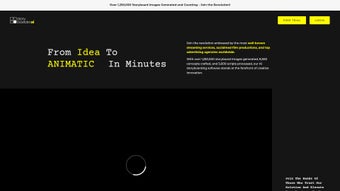
Storyboarder is a cloud‑first, AI‑enhanced storyboarding platform designed for anyone who turns ideas into visual narratives. Whether you are a feature‑film director, a commercial producer, a game developer, or an independent creator, Storyboarder offers a seamless bridge between hand‑drawn sketches and polished, broadcast‑ready animatics. The core of the application is its proprietary Image‑to‑Video engine, which automatically adds timing, transitions, and motion to static panels, turning a simple sequence of drawings into a fluid preview video in minutes.
Built on a subscription model, the service provides continuous updates, priority support, and enterprise‑grade security, ensuring that your data remains encrypted at rest and in transit. Importing assets is straightforward: PDFs, FDX screenplay files, PNG, JPEG, SVG, and even short video clips can be dragged directly onto the canvas, letting you start a new board from any existing material. The AI style‑consistency module analyses each frame to keep characters, lighting, and color palettes uniform across the entire project, eliminating the tedious manual adjustments that traditionally plague large‑scale storyboarding efforts.
For artists who prefer the tactile feel of pen‑on‑paper, the Sketch‑to‑Image converter respects the original line work while enhancing resolution, depth, and texture automatically. All work is stored in a secure cloud library, accessible from any modern browser, and can be shared instantly with collaborators via permission‑controlled links. In short, Storyboarder combines the freedom of a web‑based canvas with the power of machine‑learning tools to accelerate pre‑production without sacrificing creative control.
Key Features
- Image‑to‑Video & Animatic Engine: Convert static panels into timed video sequences with automatic transitions.
- AI‑Driven Style Consistency: Preserve character and background aesthetics across all frames.
- Sketch‑to‑Image Converter: Enhance hand‑drawn sketches into high‑resolution production artwork.
- Multi‑Format Import: Accepts PDFs, FDX scripts, PNG, JPEG, SVG, and common video formats.
- In‑Painting & Smart Editing: AI‑assisted masks and brush tools let you modify elements without leaving the browser.
- Cloud Collaboration: Real‑time sharing, commenting, and version control for distributed teams.
- Export Options: Export as PDFs, image sequences, or video files ready for downstream editing.
- Progressive Web‑App (PWA) Support: Install a native‑looking shortcut on Windows, macOS, Linux, Android, or iOS.
- Secure Subscription Model: Encrypted storage, two‑factor authentication, and GDPR/CCPA compliance.
The feature set is deliberately crafted to shorten the pre‑production timeline while keeping the artistic workflow intuitive. Because Storyboarder runs entirely in the browser, there is no bulky installer; the application leverages WebGL and WebAssembly to deliver performance comparable to native desktop tools. The AI models behind the style‑consistency and sketch‑enhancement engines are continuously retrained on a diverse corpus of cinematic frames, ensuring realistic lighting, depth, and texture in every generated image. A built‑in library of reusable storyboard elements further reduces repetitive work, allowing you to drag previously created scenes into new projects with a single click. Whether you are drafting a 30‑second commercial or outlining a two‑hour feature, the combination of automated video generation, AI‑assisted drawing tools, and secure cloud collaboration makes Storyboarder a compelling, future‑ready solution for modern storytellers.
Installation, Usage & Compatibility
Getting started with Storyboarder is designed to be frictionless. Visit the official website, register for a free 14‑day trial, and choose the subscription tier that matches your workflow. Because the platform is web‑based, there is no traditional installer; you simply log in through any modern browser and are presented with a clean dashboard. From here you can create a new board, import existing assets, or explore a library of pre‑made templates. The interface follows a familiar left‑panel timeline layout, a central canvas for drawing or AI‑generated visuals, and a right‑hand properties pane for adjusting timing, transitions, and export settings.
For users who prefer a desktop‑like experience, Storyboarder offers a Progressive Web‑App (PWA) that can be “installed” on Windows, macOS, Linux, Android, and iOS. Clicking the “Install App” button adds a native shortcut to your start menu or home screen, allowing you to launch the tool without opening a browser tab. The PWA runs offline with limited functionality—viewing and editing existing boards is possible, but AI generation and cloud sync require an internet connection. All local data is stored in an encrypted container that syncs automatically when connectivity returns.
Supported operating systems:
- Windows 10 and later (Chrome, Edge, Firefox)
- macOS 11 (Big Sur) and later (Safari, Chrome, Firefox)
- Linux distributions with modern browsers (Chrome or Firefox)
- Android 8.0 and later (Chrome or standalone PWA)
- iOS 13 and later (Safari or PWA)
Once a board is created, you can drag‑and‑drop image files, import PDFs, or begin sketching directly with a mouse, stylus, or touch input. AI tools are accessed via context‑aware buttons—select “Generate Video” to render an animatic, or “Enhance Sketch” to convert hand‑drawn lines into polished artwork. Exporting is a one‑click operation: choose format, resolution, and frame‑rate, then click “Export.” The resulting files are saved to your cloud library and can be downloaded instantly or shared via a secure, time‑limited link. This streamlined workflow ensures that even teams spread across continents can collaborate in real time without version conflicts or data loss.
Pros, Cons, FAQ & Conclusion
Pros
- AI‑driven video and animatic creation saves hours of manual editing.
- Consistent art style across large projects reduces re‑work.
- Web‑based with PWA support—no heavy installations required.
- Robust import options for scripts, images, and video references.
- Secure cloud storage and real‑time collaboration for distributed teams.
Cons
- Full AI functionality depends on a stable internet connection.
- Subscription pricing may be a barrier for hobbyists and freelancers.
- Advanced AI features have a learning curve for non‑technical users.
- Offline mode offers limited editing capabilities.
Frequently Asked Questions
Can I use Storyboarder on a low‑spec computer?
Yes. Because the heavy AI processing occurs on Storyboarder’s servers, the local device only needs a modern browser and a stable internet connection. Even older laptops can handle the UI without noticeable lag.
What file formats are supported for import?
Storyboarder accepts PDFs, FDX screenplay files, PNG, JPEG, SVG, and most common image formats. Video clips can be imported for reference, though they are not directly editable.
Is there a free trial available?
A 14‑day free trial is offered for all subscription tiers, giving full access to AI generation, collaboration, and export features.
How does Storyboarder ensure data security?
All files are encrypted both at rest and in transit using TLS 1.3. Two‑factor authentication is available, and the platform complies with GDPR and CCPA regulations.
Can I collaborate with external clients?
Yes. Shareable links can be generated with view‑only or edit permissions, allowing clients to comment directly on the storyboard without needing an account.
Conclusion & Call to Action
Storyboarder bridges the gap between traditional sketch‑based storyboarding and modern AI‑enhanced production pipelines. Its blend of cloud convenience, powerful image‑to‑video conversion, and style‑preserving algorithms makes it a compelling choice for professionals who demand speed without sacrificing creative control. While the subscription cost may deter casual users, the time saved on repetitive tasks and the ability to produce broadcast‑ready animatics directly from the browser deliver a strong return on investment for studios, agencies, and independent creators alike. If you’re ready to accelerate your pre‑production workflow and explore AI‑generated visuals, download Storyboarder today and start turning ideas into cinematic storyboards in minutes.



.png)



